
See what you’ll really pay: RentCafe introduces Total monthly cost and the Cost calculator
Share this article:


Pricing transparency is the top priority for renters today, and the numbers reflect it. A recent RentCafe survey of more than 3,000 renters found that 18% would feel more confident renting online with clearer pricing and fees — ranking higher than more photos (16%), virtual tours (15%) and every other listing feature on the platform. These two features were built with exactly that in mind.
Key takeaways
- Total monthly cost shows you the base rent plus all recurring, mandatory monthly fees in one number, right on the search results page.
- The cost calculator lets you go deeper: explore one-time fees, toggle optional add-ons and adjust your lease length to see how your total changes in real time.
What is total monthly cost?
‘Total monthly cost’ is a new pricing label you’ll see on certain listings across RentCafe. It adds all recurring, mandatory monthly fees set by the property to the monthly base rent.
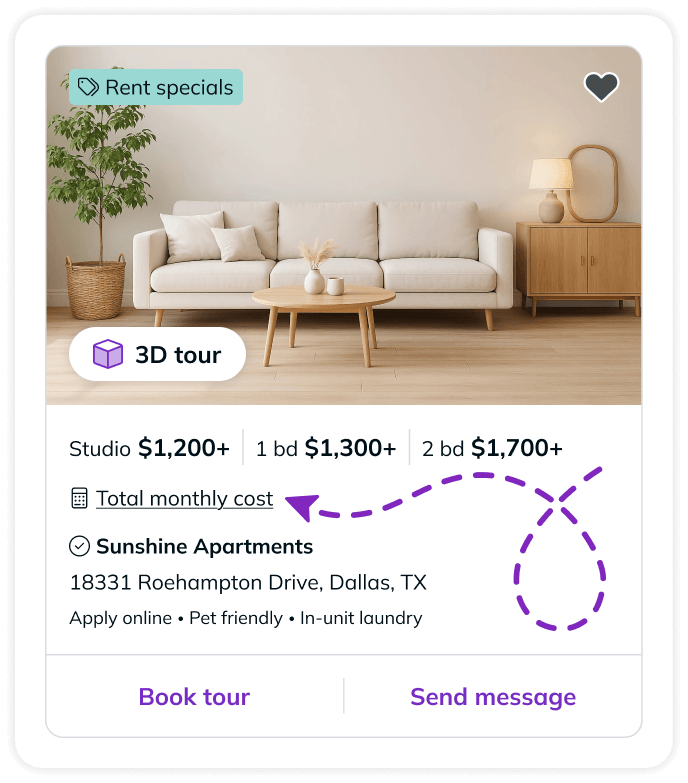
Total monthly cost includes:
- Base rent
- Recurring mandatory monthly fees (such as trash fees, common area maintenance or fixed amenity fees)
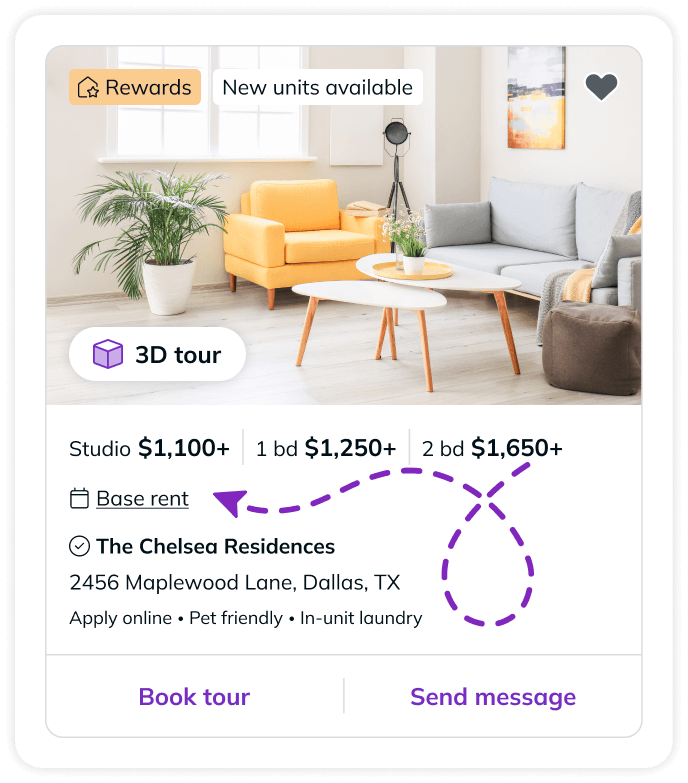
Total monthly cost does not include:
- Application fees
- Variable usage-based costs (such as utilities)
- Optional charges (such as pet rent, parking upgrades or storage)
In your search results on RentCafe.com, some listings will show ‘Total monthly cost’ instead of ‘Base rent.’ For a full picture of your additional fees, check out the cost calculator. If a listing shows ‘Base rent,’ it means the property has only provided information on the base rent price. To find out more information on costs, you may contact the property or start an application to see all leasing options.
Explore the full picture with the cost calculator
Knowing the total monthly cost is a great start. But what about move-in costs? Application fees? How does your monthly payment change if you bring a pet or need a parking spot?
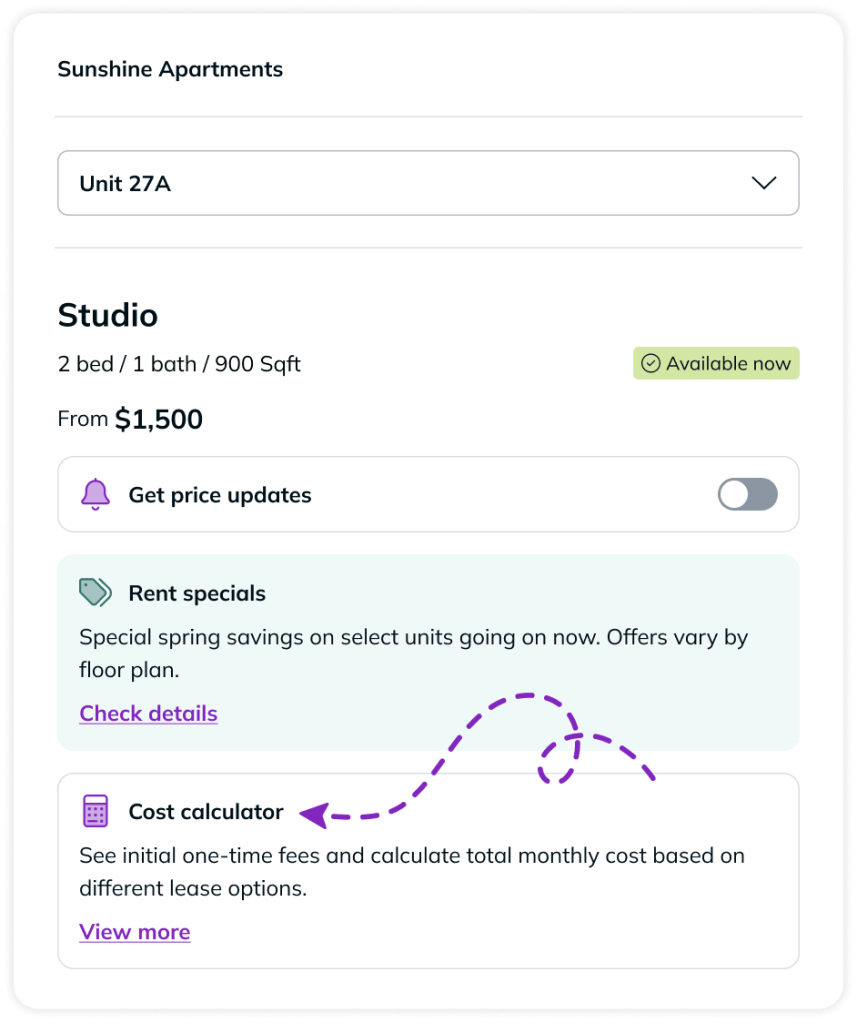
You’ll find all of this in the cost calculator on select listing pages. It provides a personalized breakdown of the full cost of renting a specific home, organized into four clear categories:
- Application costs: The one-time fee you pay when submitting your application.
- Move-in costs: Your first month’s payment plus any one-time move-in charges.
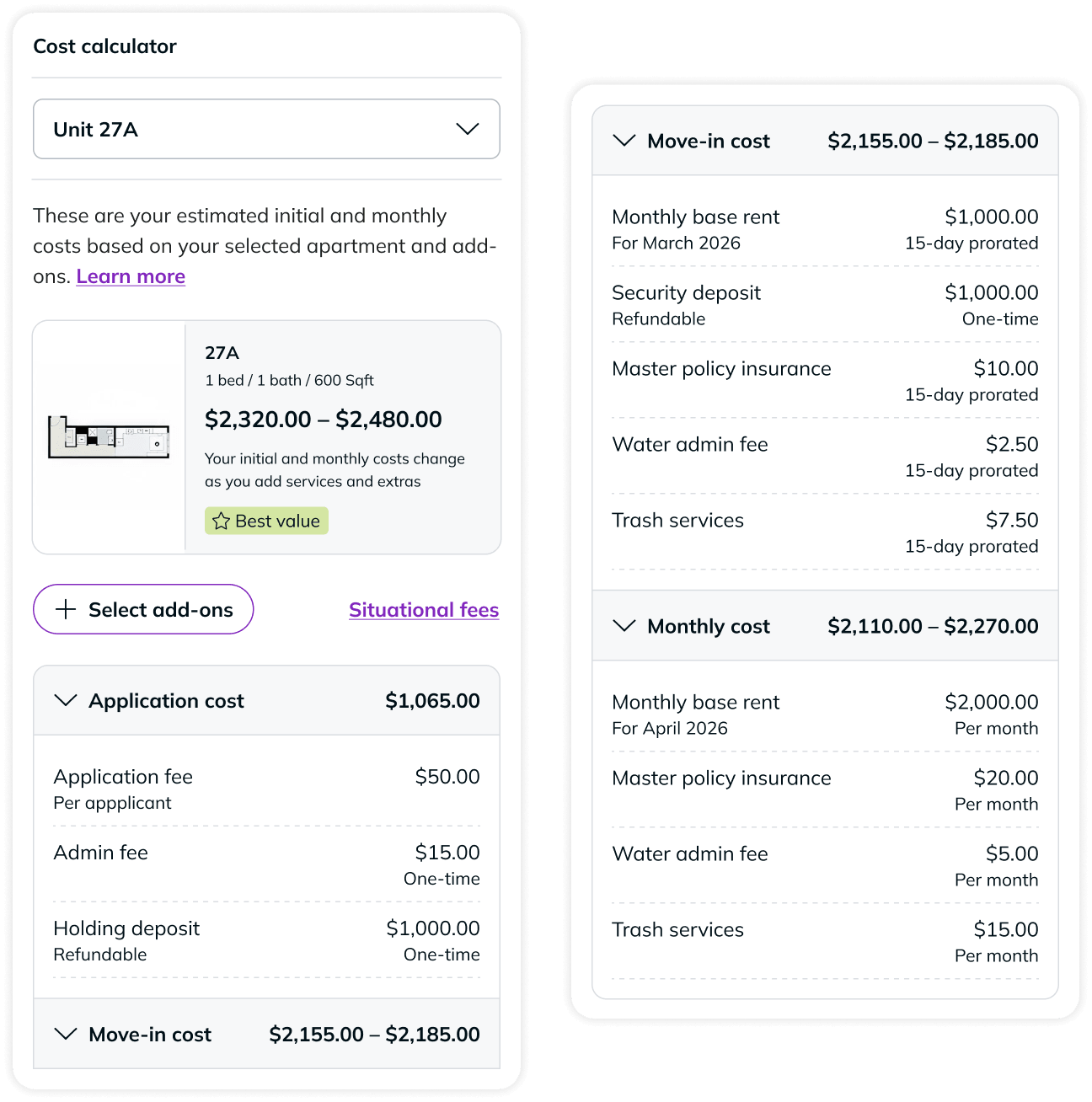
- Total monthly leasing price: The full monthly payment, including base rent, required fees and any optional add-ons you’ve chosen (like pet rent or parking).
- Move-out costs: Charges that come due when your lease ends, such as your final month’s payment plus any one-time move-out fees, when applicable.
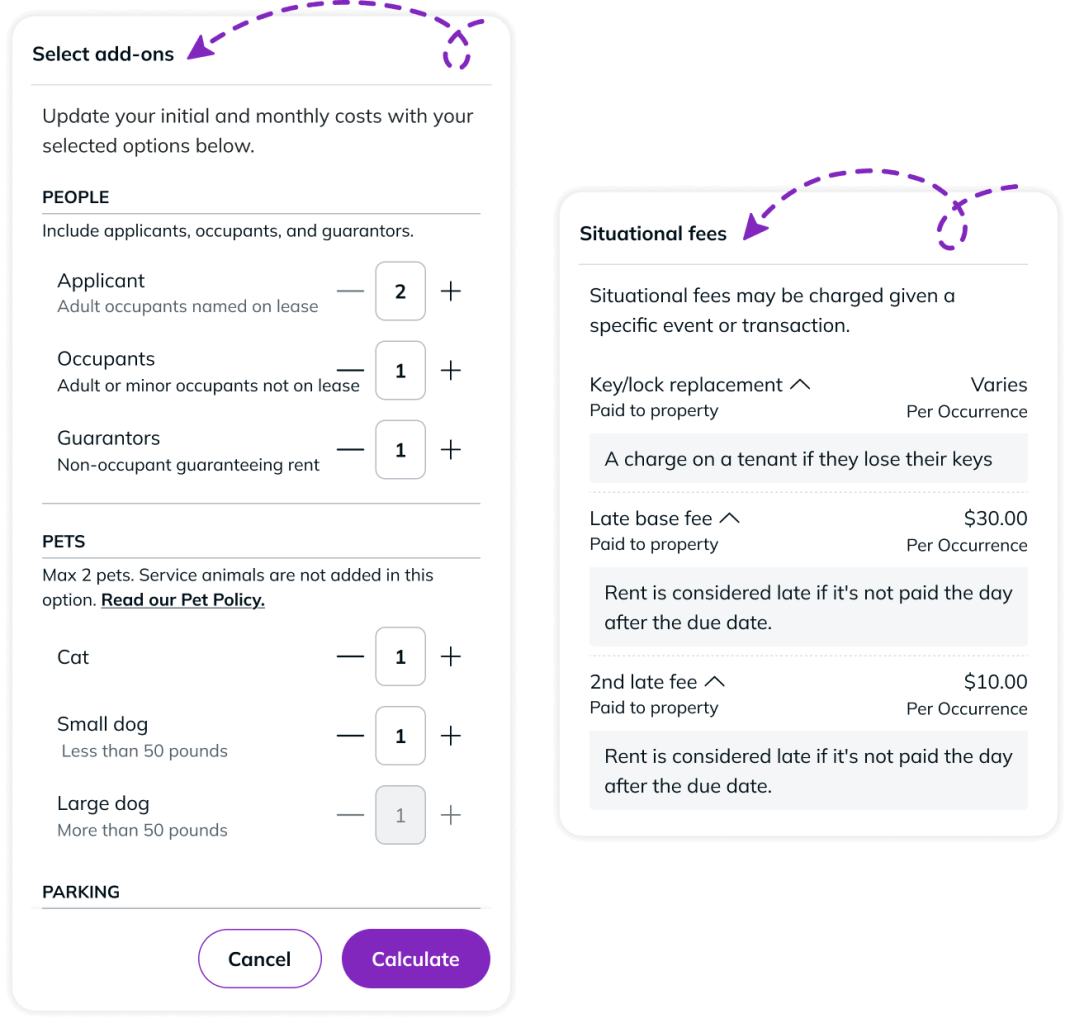
Even better: You can also toggle optional add-ons on or off, adjust your lease length and see how each choice affects your total in real time.
| Total monthly cost | Cost calculator | |
|---|---|---|
| What it is | The headline number on the listing | A full breakdown you can customize |
| Base rent + mandatory fees | Included in the number | Itemized under Total monthly leasing price |
| Optional add-ons (pet, parking) | Not included | Toggle on/off and see the impact |
| Application costs | Not included | Shown as a one-time fee |
| Move-in costs | Not included | First month + one-time charges |
| Move-out costs | Not included | Final month + any move-out fees |
| Lease term adjustments | Shows default term | Adjustable — see how cost changes |
How to use total monthly cost and cost calculator together
Step 1: Spot the label on the listings in your search results.
When a property has the cost calculator enabled, its listing card will show ‘Total monthly cost’ as the price label. That’s your signal that the number you see reflects more than just the base rent.
Step 2: Check the property page.
On the property details page, you’ll see ‘Total monthly cost’ as the column header in the floor plans section, along with a banner explaining what’s included.
Step 3: Open the cost calculator.
Located below the pricing section on property pages, the cost calculator lets you explore all four cost categories, toggle optional add-ons, adjust your lease length and see exactly how your total changes.
Step 4: Plan your budget with confidence.
Now you have everything you need to decide if a home is the right fit.
Start your apartment search and look for total monthly cost
Total monthly cost and the cost calculator are designed to give you clarity at every step, from the first number you see in search results to the full budget breakdown before you sign a lease.
The next time you’re searching on RentCafe, total monthly cost and the cost calculator will be there to help you figure out your true costs before you sign.
Ready to find your happy place? Start searching on RentCafe.com today.
FAQ: Total monthly cost and cost calculator
Q: Does every listing on RentCafe show total monthly cost?
A: Not yet. Total monthly cost appears on listings from properties that opt in for displaying total monthly costs.
Q: What fees are included in total monthly cost?
A: Total monthly cost includes the base rent plus all recurring, mandatory monthly fees set by the property — things like trash fees, common area maintenance charges or fixed amenity fees.
Q: What does the cost calculator show that total monthly cost doesn’t?
A: The cost calculator shows the full financial picture of renting a specific home: one-time application fees, move-in costs (first month’s rent plus any move-in charges), your ongoing monthly total with any optional add-ons included and move-out costs.
Q: Can I use the cost calculator to compare two different apartments?
A: The cost calculator is available on individual property details pages, so you can use it to compare homes one at a time.
Q: What if I want to add a pet or a parking spot — will the cost calculator reflect that?
A: Yes. The cost calculator lets you toggle optional add-ons like pet rent, parking and storage on or off, and updates your total in real time so you can see exactly how each choice affects your monthly payment.
Share this article:


Adina Dragos
Adina Dragos is a real estate writer and research analyst with RentCafe. She has solid experience in real estate writing, covering topics ranging from best cities for renters and the top cities for rental activity to cost of living. Her work was featured in several prominent media channels such as Axios, The Dallas Morning News, ConnectCRE and The New York Times.
Sign up for The Ready Renter newsletter
Get our free apartment hunting guide — plus renting tips, trends and research.




Related posts

Meet Ren, your apartment search assistant on RentCafe.com
Apartment hunting usually starts the same way: You type a city, choose the number of bedrooms, set a budget and start scrolling. It works, but…

Your happy place is just a conversation away with the new RentCafe app in ChatGPT
Meet the new RentCafe app in ChatGPT, an exciting step forward in apartment search. It combines the trusted rental listings platform used by millions of renters with the conversational power…

See what you’ll really pay: RentCafe introduces Total monthly cost and the Cost calculator
RentCafe listings now display the Total monthly cost and the Cost calculator, two new features designed to give you a clear, complete picture of what…
Subscribe to
The Ready Renter newsletter