
How to find apartments with discounts on RentCafe
Summary
Rent specials are discounts and promotional offers set by property managers, such as free rent for one or more months, reduced rates or waived fees. RentCafe helps you find these deals by using the “Rent specials” filter, natural language search or by looking for the “Rent specials” label on listings. You can also set up alerts to get notified of new discounts.
What discounts are available on RentCafe?
Rent specials are discounts and promotional offers such as discounted monthly rent, free months or reduced move-in fees that help renters save money. Many professionally managed properties on RentCafe offer them. The types of discounts vary by property and may change over time.
Common discounts include:
| Discount type | What it means |
|---|---|
| One month free | You get one month of free rent when you sign a new lease. |
| Two months free | You get two months of free rent when you sign a new lease. |
| Reduced rent rate | You pay a lower rent rate for the first month or several months. |
| Waived fees | Certain fees, such as the application fee, are removed. |
| Other special offers | Custom promotions set by the property, such as gift cards or move-in bonuses. |
Some discounts are limited-time offers, and all come with terms and conditions set by the property. In some cases, specials vary by floor plan. Details are listed on each property’s page.
How do I find apartments with discounts?
The fastest way to find discounted apartments is to use the “Rent specials” filter. Here’s how:
1. Start your apartment search
Go to RentCafe.com and type a city, neighborhood or zip code into the search bar on the homepage.
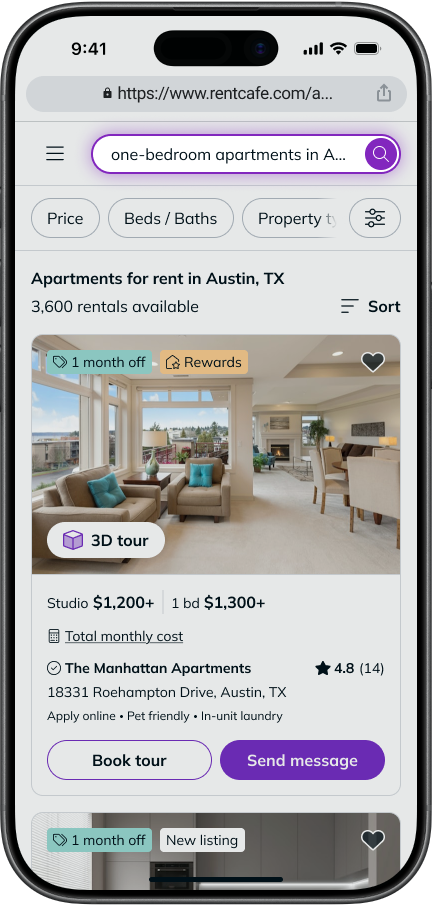
2. On the search results page, apply the “Rent specials” filter
Tap the “Filters” button next to the search bar, then tap “Rent specials” or select “Rent specials” from the “Quick filters” bar.
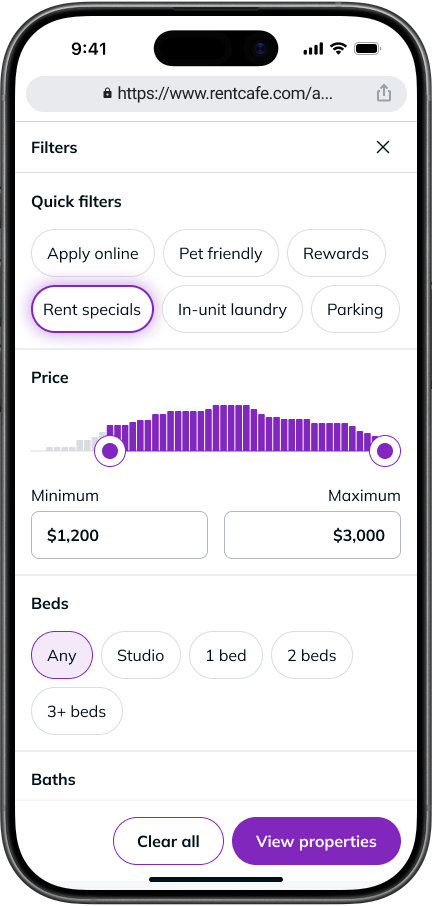
3. Browse results
The results will update to show only properties that currently offer discounts.
1. Start your apartment search
Go to RentCafe.com and type a city, neighborhood or zip code into the search bar on the homepage.
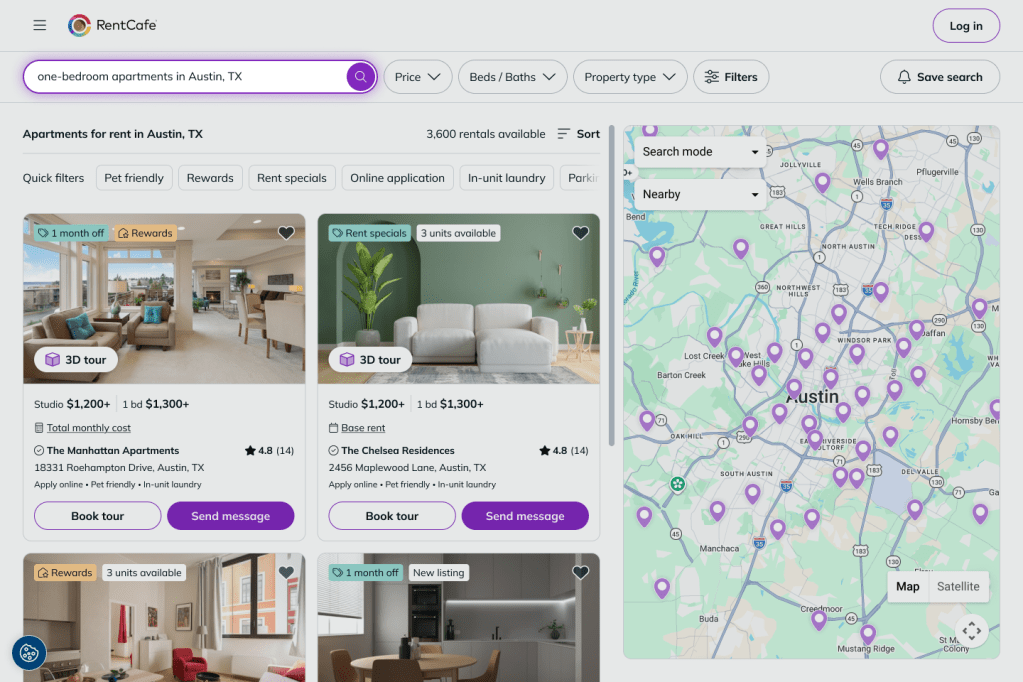
2. On the search results page, apply the “Rent specials” filter
Click the “Filters” button in the filters bar and then click “Rent specials” in the “Quick filters” section. You cand also click “Rent specials” in the “Quick filters” bar on the page.
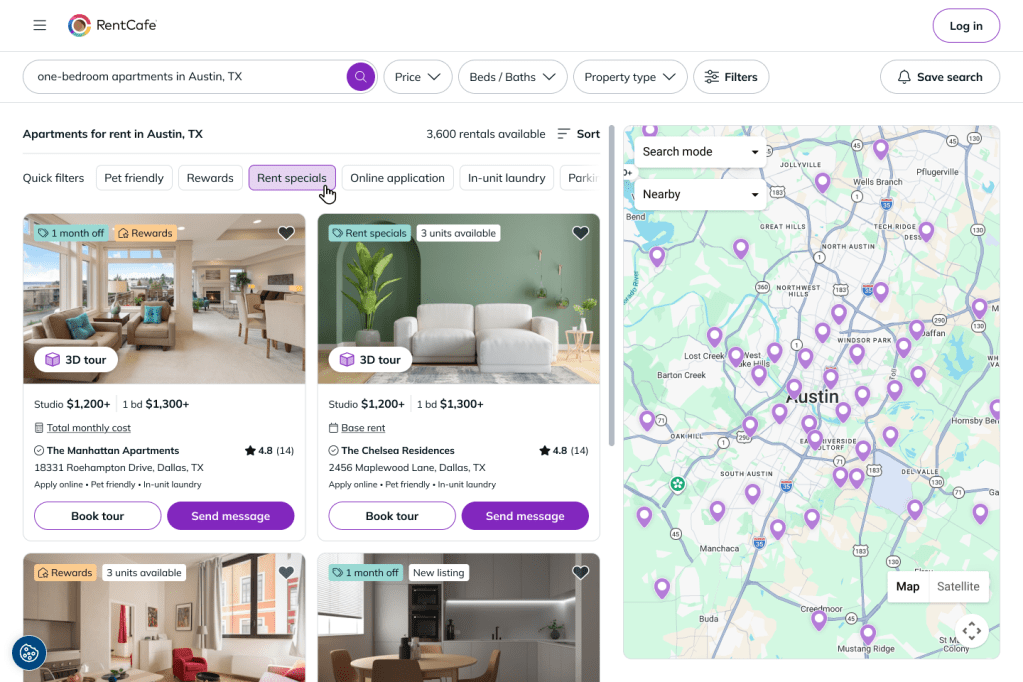
3. Browse results
The results will update to show only properties that currently offer discounts.
How do I view discount details on a property?
Once you find a property with a discount, you can view the full details of the offer.
1. Select a property
Tap on any property from the search results.
2. Find the “Rent specials” section
On the property page, scroll down to the “Rent specials” section.
3. Tap the section to expand it
This will show the discount details along with a contact form to reach the property, get more information, schedule a tour or apply.
4. Tap the “Rent specials” label
You can also view the details by tapping on the “Rent specials” label, just below the photos.
1. Select a property
Click on a property from the search results.
2. Tap “Rent specials” label
On the property page, click the “Rent specials” label just below the photos.
3. View discount details
The details of the offer and the contact form will appear. You can fill in your details and learn more about the offer from the property manager.
Can I search for discounts using everyday language?
Yes. Instead of using filters, you can type what you’re looking for directly into the search bar on the RentCafe homepage using natural, everyday language.
For example, you could type “one-bedroom apartments in Dallas with discounts” and RentCafe’s search will automatically apply the matching filters to show relevant results.
Tip: Natural language search works best when you include a location and the type of deal you’re looking for. Try phrases like “cheap apartments with specials in Austin” or “studios in Chicago with rent discounts.”
How can I spot properties with discounts while browsing?
Properties that offer discounts display a “Rent specials” label on their listing photos. This label is visible on the search results page for some properties, even before you open or expand the listing.
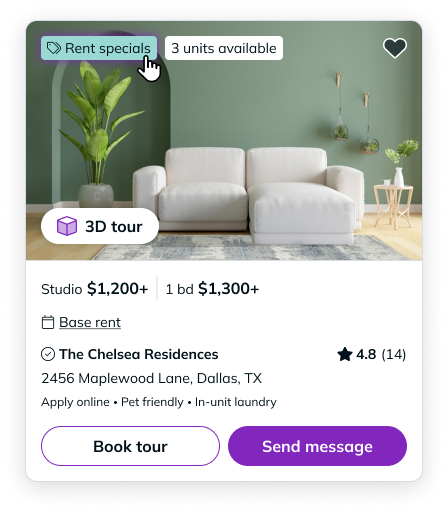
If you see this label, it means the property currently has an active discount. Tap or click the listing to view the full offer details.
How do I stay updated on new discounts?
If you don’t find a discount that fits your needs right now, you can set up alerts to stay informed.
- Log in or sign up
Create a free RentCafe account or sign in to an existing one.
- Save your search
Type in a search and, on the results page, make sure you have the “Rent specials” filter activated, then save your search.
- Check your inbox
New listings with limited-time offers and discounts will be sent to your inbox.
Ready to find your next deal? Search for apartments with discounts on RentCafe.com or create a free RentCafe account to set up alerts and never miss a special.
FAQ
Yes. All discounts come with terms and conditions set by the property, and some are limited-time offers. Check the “Rent specials” section on the property page for full details, including any deadlines or requirements.
Not necessarily. A discount may apply to specific floor plans, unit types or lease terms. The details are listed in the “Rent specials” section on the property’s page or provided by the property management company that provided the listing.
When you expand the “Rent specials” section on a property page, a contact form appears. You can use it to reach the property directly, ask questions, schedule a tour or start an application.
No. You can browse listings and view discounts without an account. However, creating a free account is required to set up alerts, apply for an apartment or manage your rental journey.
Listings on RentCafe are provided directly by property managers, so discount information is updated as properties change their offers. Setting up alerts helps ensure you see new deals as soon as they become available.