
How do I update my contact information on RentCafe?
Summary
To update your contact information in RentCafe, log in to your account and go to “My account” or “My profile”. You’ll arrive at the “Account information” section of your profile, where you can update your first and last name, email, or phone number. Save your changes to keep your account details up to date.
This guide explains how to edit your personal contact information in your RentCafe account.
How do I update my contact information?
1. Sign in to your RentCafe account
Go to www.rentcafe.com or open the RentCafe app and log in.
2. Open the “Account information” screen
Access your profile area:
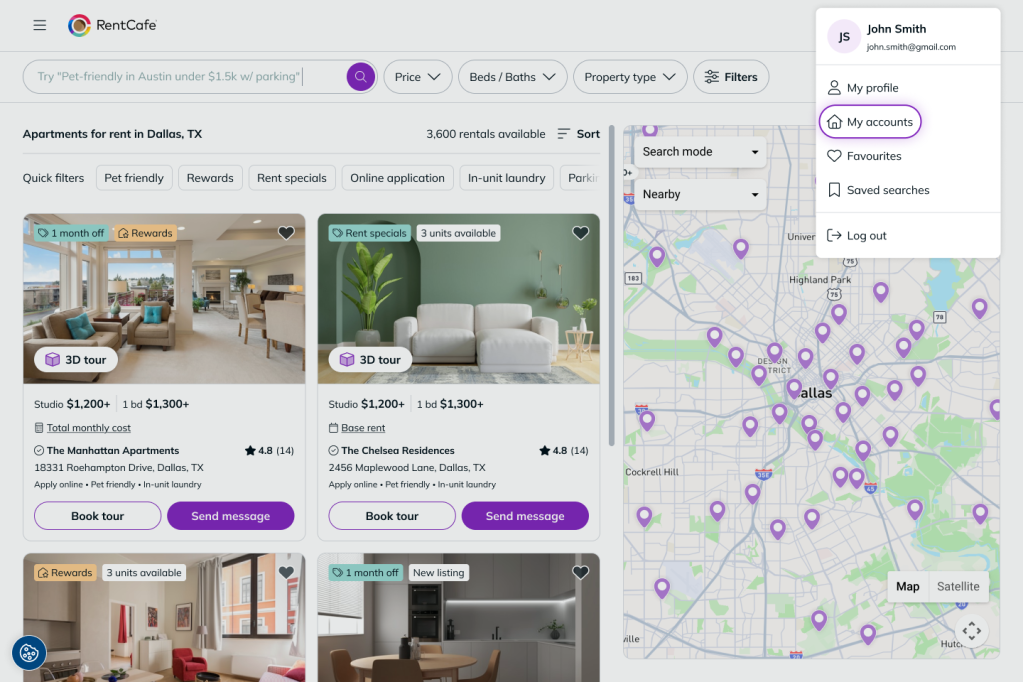
- On desktop:
- Click your profile photo in the top-right corner and select “My accounts”.
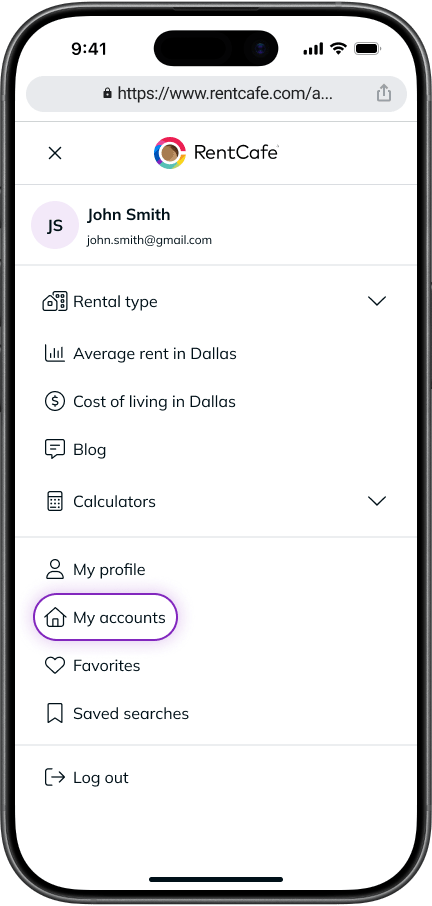
- On mobile:
- From the home page: open the navigation menu and tap your profile/account section.
- From a search page: tap on your profile photo and select “My profile”.
You’ll automatically arrive on the “Account information” screen.
3. Update your contact details
Here you can edit:
- First name
- Last name
- Email address (the one you used to create your account)
- Phone number
- Alternate phone number
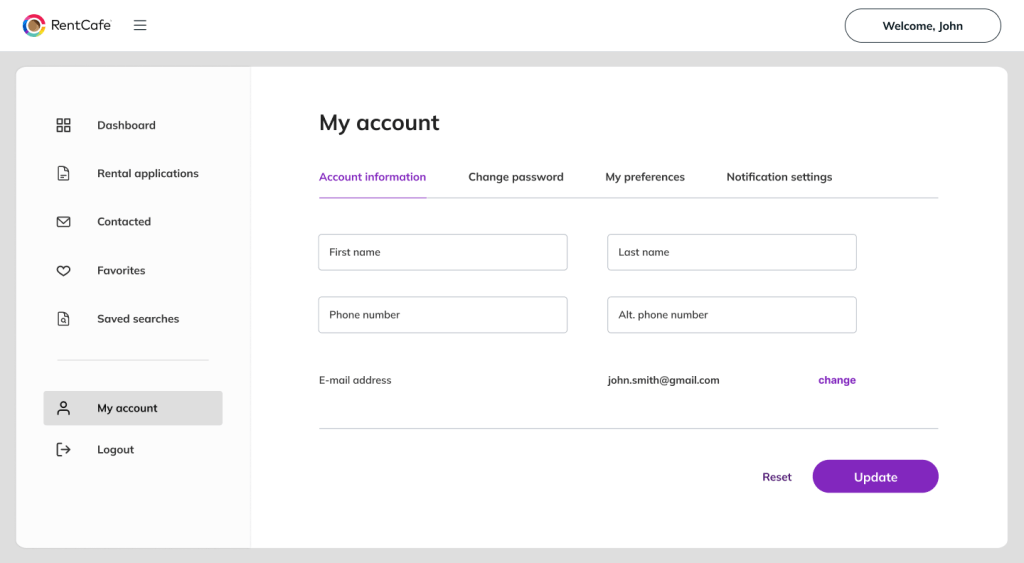
Make the necessary changes.
4. Save your updates
Save your changes to apply the updates to your account.
What should I do if I can’t update my information?
- Make sure you are logged into the correct account
- Refresh the page and try again
- Check that all required fields are completed
If the issue continues, contact your property management team or RentCafe Support.
Will updating my contact information affect my application or lease?
Yes — updating your contact information applies to all your in-progress rental applications, so your new details are used going forward. It won’t cancel or restart an application, but keeping your information accurate ensures you receive the right updates and communications.
FAQ
A: Yes. You can update the email address you used when creating your account in the “Account information” section. Make sure to use a valid email you can access.
A: Yes, the email address you used when creating your account is the same one that will be used as your contact email. You can update it in the “Account information” section. Make sure to use a valid email you can access.
A: Yes. Updating your contact information applies to all your in-progress rental applications, so your new details are used going forward.
A: Yes. You can edit your phone number at any time and save the changes.
A: Accurate contact details ensure you receive important updates about your application, lease, and payments.