
What other services can I set up through RentCafe?
Summary
You can set up other services through RentCafe beyond renters insurance and utilities, including internet, flexible rent, rent payment reporting and security deposit replacement. These services can be found in your move-in checklist if available at your property. Some services are eligible for RentCafe Rewards points.
In addition to renters insurance and utilities, other services can be available through your RentCafe account, such as:
- Security deposit replacement
- Internet
- Rent payment reporting
- Flexible rent
These services are part of RentCafe Renter Essentials, helping you move in and manage everyday life more easily. They are available to you depending on what your property offers, so your options may differ from those of another renter. Some of these services are also eligible for RentCafe Rewards points.
Where to find services
Most services appear in your move-in checklist, which is displayed in your RentCafe account once your apartment lease application is approved. After you move in, you can still access and manage your active services, as well as set up other available services at your property through your RentCafe account.
Security deposit replacement
Through RentCafe’s partnership with Obligo, you get an alternative to paying a traditional security deposit as a lump sum. This service offers flexible options to fulfill your security requirements, such as a “No Deposit” option for qualified renters, or the ability to pay your full deposit to Obligo and earn interest on the funds.
If your property offers security deposit replacement, you may receive an invitation during the application process or you can sign up through the “For your lease” section in your RentCafe account.
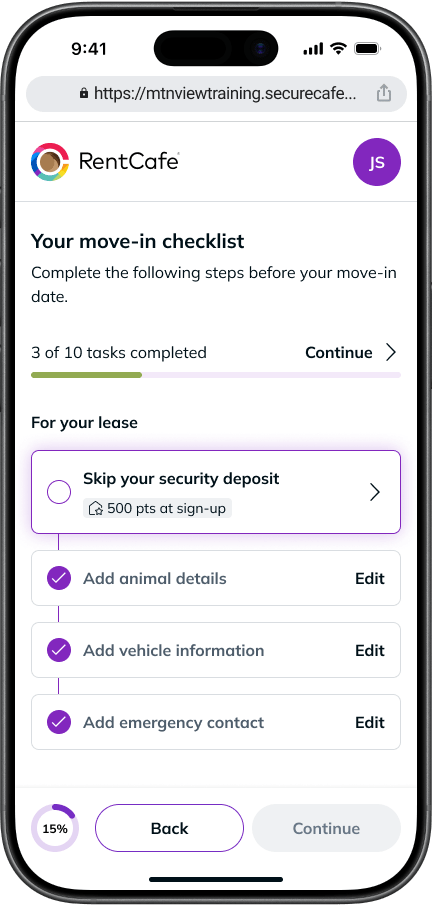
Move-out: If your property manager submits any permissible charges, Obligo will pay them and you will repay Obligo. If you paid funds to Obligo, any remaining eligible balance will be returned according to your agreement.
RentCafe Rewards: This service earns you RentCafe Rewards points upon sign-up.
For more information or support, contact the Obligo team at support@myobligo.com.
Internet
The internet option in your RentCafe account lets you get connected with fast, reliable internet speeds. Plans from leading providers are available directly through RentCafe, including mobile and entertainment bundles.*
Set up internet through the “For your move-in” section within your move-in checklist.
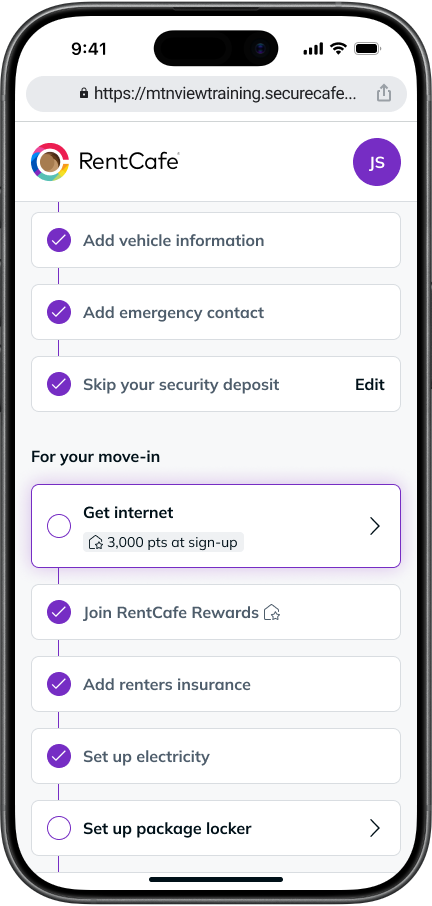
If you already live at a RentCafe partner property, you can also sign up for internet through your resident account in the “Renter Essentials” section.
RentCafe Rewards: You’re eligible to earn RentCafe Rewards points by signing up for internet. The points are typically added to your balance after 90 continuous days of using the service.
For more information or support, check out the offers through RentCafe.
*Availability and participation may vary by property and provider.
Rent payment reporting
Rent payment reporting through IdentityIQ® automatically reports your on-time, full rent payments to the three major credit bureaus (Equifax®, Experian® and TransUnion®). A late payment will not appear as “late” on your credit report, though you may still owe a late fee to your property.
This can help build your credit history over time, though results vary depending on your individual credit profile.
Once you join RentCafe Rewards, you can activate rent payment reporting for free through your RentCafe account.
Service upgrade: Paid upgrade options like Credit Advantage offer additional features, including identity theft protection and credit monitoring. You can upgrade your service through your RentCafe account.
RentCafe Rewards: Upgrading your service is eligible for RentCafe Rewards points.
For more information or support, call 1 (888) 739-0906 or email RentCafe@IDIQ.com.
Flexible rent
RentCafe’s partner Flex allows you to split your monthly rent into smaller payments instead of paying the full amount at once. You can set your own payment schedule through Flex based on when it works best for you.
Log in to your RentCafe resident account and look for the Flex option on your payment dashboard. If approved by 5:00 PM ET on the 4th of the month, you can use Flex for that month. After the 4th, enrollment applies to the following month.
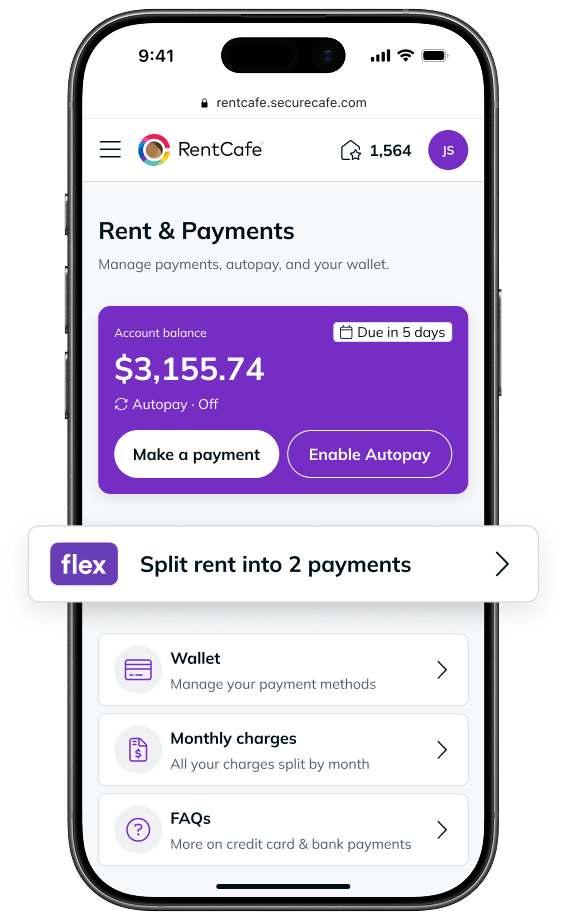
How it works: Make your first payment when rent is due. Flex covers the rest on the same date. You then make a second payment before the end of the month.
For more information or support, email help@getflex.com or visit help.getflex.com.
FAQ
Not necessarily. The services shown in your RentCafe account depend on what your property offers. Your move-in checklist will only display what’s available at your specific apartment community. Additional services may become available in your account over time. Check back in or talk to your property manager to express your interest in a specific service.
While some services appear on your move-in checklist before your move-in date, some Renter Essentials can still be set up after moving in through the “Renter Essentials” section in your RentCafe account.
Renter Essentials are services that help you move in and manage everyday renting more easily. They may include renters insurance, utilities, flexible deposit and payment options, rent payment reporting and more.
Available services can vary by property, so you’ll always see exactly what’s offered and applicable to your apartment in your RentCafe account. Additional services may become available at your property.
Some services may be required by your property, while others are optional and available to help simplify your move-in and everyday renting. Setting up multiple services through RentCafe can help you save time, stay organized, and earn rewards.